Weekly meal planner + grocery list
Free weekly meal planner
with grocery list
Plan breakfast, lunch and dinner, set how many people each meal feeds, and get one grocery list for the whole week.
- No sign-up
- Saved in your browser
- Menu + list, one page each
Start from an example week
This week
0 meals planned
Example — change any mealTap a meal to pick a recipe, then set how many people it feeds. Batch cooking? Split the total batch servings across meals. Food already in your fridge is not deducted automatically.
Recipe box
0 recipes
Back up or move your planner
Recipes, the week, extra items and ticks are saved only in this browser. Download a backup file to keep a copy or to open the planner on another device.
How it works
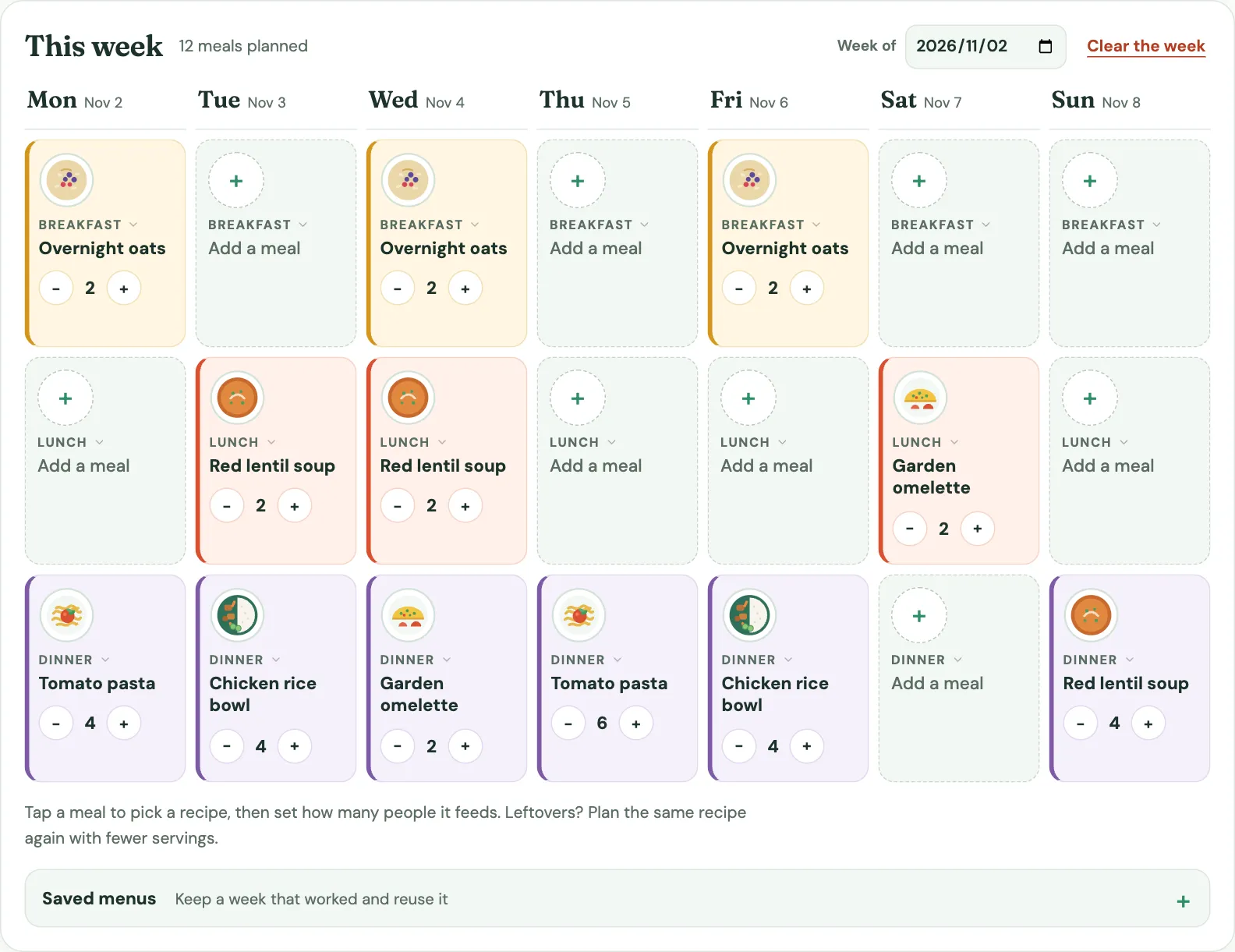
1Fill the week
Pick a recipe for any breakfast, lunch or dinner and set how many people it feeds. Each meal contributes its servings to the shopping list. For one batch eaten twice, split its total servings across those meals; existing fridge stock is not deducted.
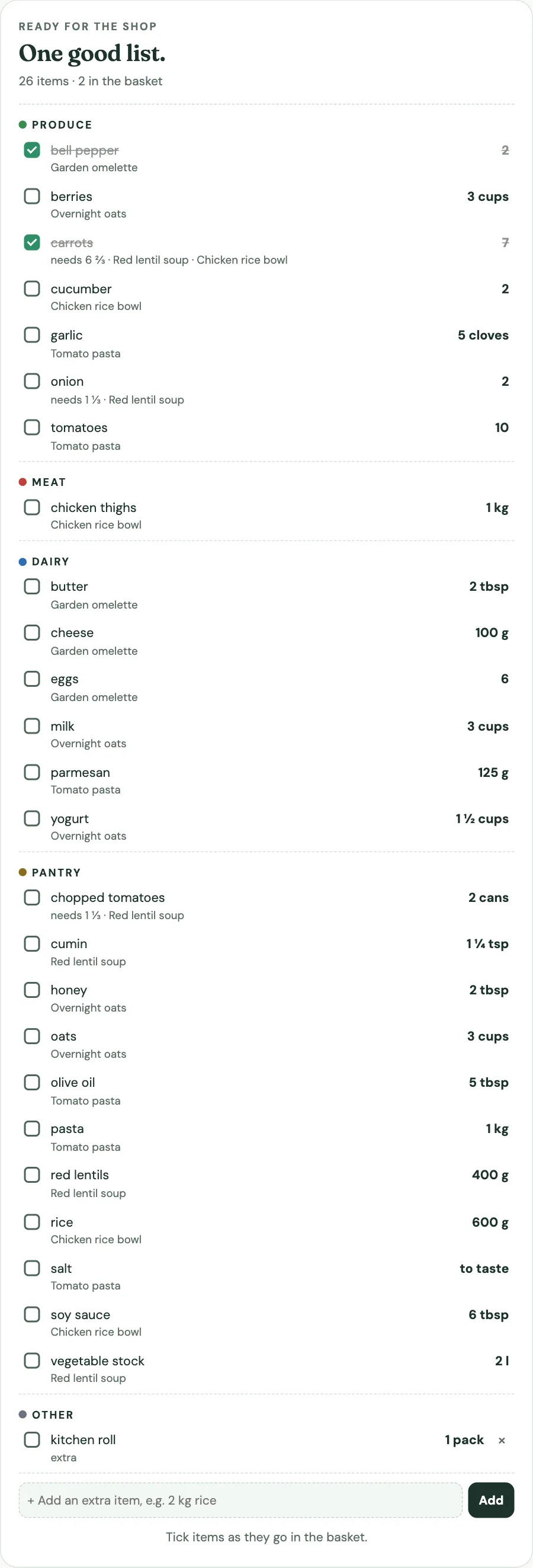
2Shop by aisle
Matching ingredients from every meal are added together, grams and kilos or teaspoons and cups are converted, and whole items are rounded up with the exact need shown.
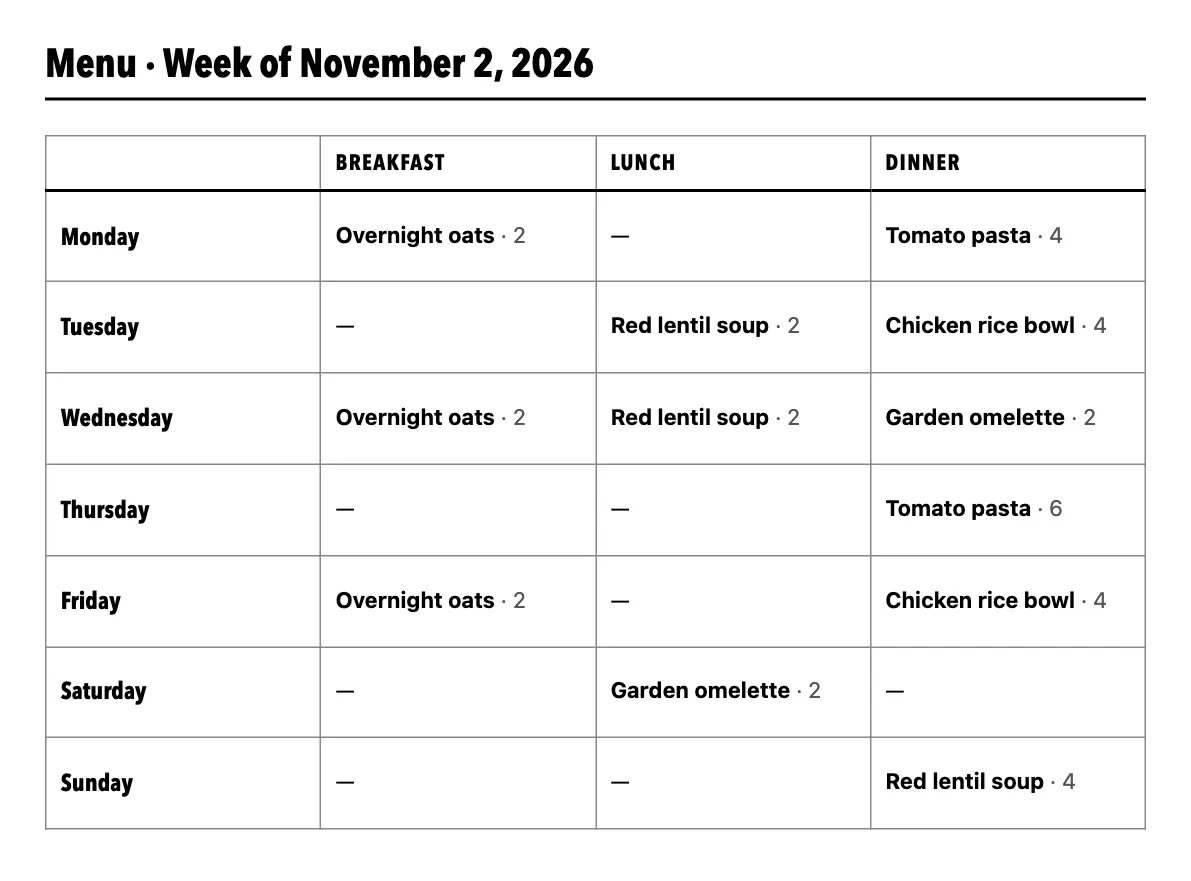
3Take it with you
Tick things off on your phone, copy the list into a message, or print the menu for the fridge and the list for the shop, one page each.
How the list adds it up
An example from the family week: two recipes use carrots, at different servings.
2 carrots for 6 servings
planned 2 + 2 + 4 = 8 servings
2 × 8 ÷ 6 = 2⅔
2 carrots for 4 servings
planned 4 + 4 = 8 servings
2 × 8 ÷ 4 = 4
2⅔ + 4 = 6⅔ carrots. You can't buy two thirds of a carrot, so the list rounds up to 7 and keeps the exact need beside it.
Units that combine
| Kind | Units that combine | Shown as |
|---|---|---|
| Metric weight | g, kg | g up to 999, then kg |
| Metric volume | ml, l | ml up to 999, then l |
| US weight | oz, lb | lb from 16 oz |
| US volume | tsp, tbsp, cup | cups and tablespoons to the nearest quarter |
| Whole items | pcs, cans, cloves, bunches, packs… | rounded up, exact amount alongside |
Guides and tools
- Grocery list maker from recipesNo week to plan? Paste a few recipes and get one aisle-sorted list.
- How to make a grocery list from your meal planFive steps: 63 recipe lines plus one extra become 26 shopping entries.
- Grocery list categoriesSeven aisles, and the ingredients that broke the rules.
- Weekly meal plan template with grocery listBlank A4/Letter PDFs and three sample weeks to edit.
- How much should groceries cost?The USDA food plans as a weekly and per-meal budget.
- How much rice, pasta and meat per personLabel servings against real recipe portions.
- How long do leftovers last?Planning cook-once weeks inside the refrigerator window.
All guides · How to write recipe ingredients
Frequently asked questions
How do I type ingredients?
One per line, the way a recipe prints them: 400 g pasta, 2 tomatoes, 1 1/2 cups milk, salt to taste. The aisle is guessed from the name; add @ Dairy (or another aisle) at the end to choose it yourself.
How are ingredients combined?
Lines with the same name in the same aisle are added together across every planned meal. Grams and kilograms combine, as do millilitres and litres, ounces and pounds, and teaspoons, tablespoons and cups. Different kinds of unit, such as cloves and grams, stay on separate lines.
Why does the list say 5 when the recipes need 4.5?
Things you buy whole, such as eggs, tins or onions, are rounded up so you buy enough. The exact amount is shown next to it.
Can I scale from four servings to six?
Yes. Each meal in the week has its own servings. If a recipe serves four and the meal is set to six, every ingredient is multiplied by 1.5 for that meal only.
Can I make a grocery list from recipes without planning a week?
Yes. The grocery list generator takes several pasted recipes, scales each one to the servings you are cooking and returns one aisle-sorted list.
Where are my recipes saved?
In this browser's local storage. Nothing is uploaded. Copy or print the list to take it to the shop, and use Download backup in the recipe box to keep a copy or move the planner to another device.